
Slope for Beginners: What Happens in Your First Runs
Published · Updated · 3 min read
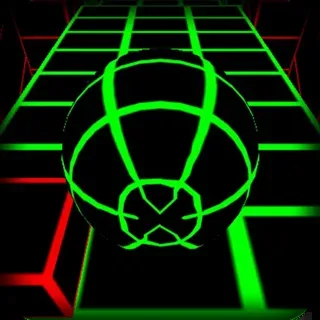
If you have never played Slope, the first few runs can feel like they end before they start. This guide walks through one run from the menu to the score screen, so you know what each part of the screen is telling you. Everything here comes from the copy of the game hosted on this site, the Y8 Unity WebGL build, whose game logic is stored as named PlayMaker states inside SlopeBuild.data.
The main menu
The menu is small. Besides the Play button there is a credits screen (game by @RobKaySF, music by @SynthR, published by @Y8.com), a sound on/off button, a feedback link, a More Games button and a Download Game button that points to the Android version on Google Play. There is also a leaderboard and a "Logged in as" line. Those two rely on Y8's own account service, and this copy does not connect to it, so on this site your score is kept only in your own browser.
The first seconds of a run
When a run starts, the game shows its control hint once: steer with the arrows, A/D or Q/D. The Q/D pair is there for AZERTY keyboards. On a touchscreen the screen is split in two, and a finger on the left half steers left while one on the right half steers right. There is no jump button and no brake. The ball rolls forward on its own and all you choose is left, right or nothing.
The camera follows behind the ball. On some track pieces the files tell it to move in to a closer position and then pull back again when the ball leaves the piece, so the view will sometimes tighten for a moment. That is the game, not your browser stuttering.
What the colours mean
The track pieces are the safe part. Anything red is a hazard: the obstacle materials in the files are named red, and one of them is called "death red". Touching one triggers the collide death, and the ball breaks apart. The other way to lose is to roll off the edge, which triggers the fall death. When you fall, the camera stops chasing and watches the ball drop instead.
The SPEED UP message
Every so often a stretch of track carries arrows. Rolling over it shows the words SPEED UP on screen, and for a short time the camera's field of view widens and a trail appears behind the ball before the view returns to normal. If the picture suddenly seems to stretch, this is why. Expect the track to feel quicker from that point on.
The score and the restart
The number at the top of the screen goes up as the ball passes scoring points placed along the track, so it grows while you stay alive and freezes the moment the run ends. On the score screen the game compares your result with a saved value called HighScoreSlope. If the new score is higher, it replaces the old one; if not, the old best stays. Press Enter on that screen to go again, or use the on-screen button.
A sensible first goal
Do not aim for a number yet. Aim to reach your first SPEED UP message and stay on the track for a while after it. By then you will have met the basic pieces: plain slopes, tilted sections that pull the ball towards the low side, narrow strips and red blocks. Once those stop surprising you, start watching how far ahead you are looking. Players who last longer usually look at the track a little further up the screen, not at the ball.
Saving your progress
Your best score is stored by the browser for this site. Clearing site data, using a private window or switching to another browser will start you from zero again. Nothing else is saved, because there is nothing else to unlock: every run starts the same way, with the same ball on the same kind of track.
More from the blog
- How Slope Gets Harder: Runs, Repeats and Speed-Ups
Slope builds its track in runs of pieces picked at random. Here is how the game's spawner makes those runs longer and harder as your speed-up count grows.
- Tunnel Rush vs Slope: Levels, Modes and Controls Compared
Slope is one endless run; Tunnel Rush has a level select, stars, three difficulty settings and a two-player mode. A side-by-side look from both games' files.